

Crisp text, steady kickstand, and single‑cable setup — easy to match brightness and color for comfortable, long coding sessions.
We may earn a small referral fee
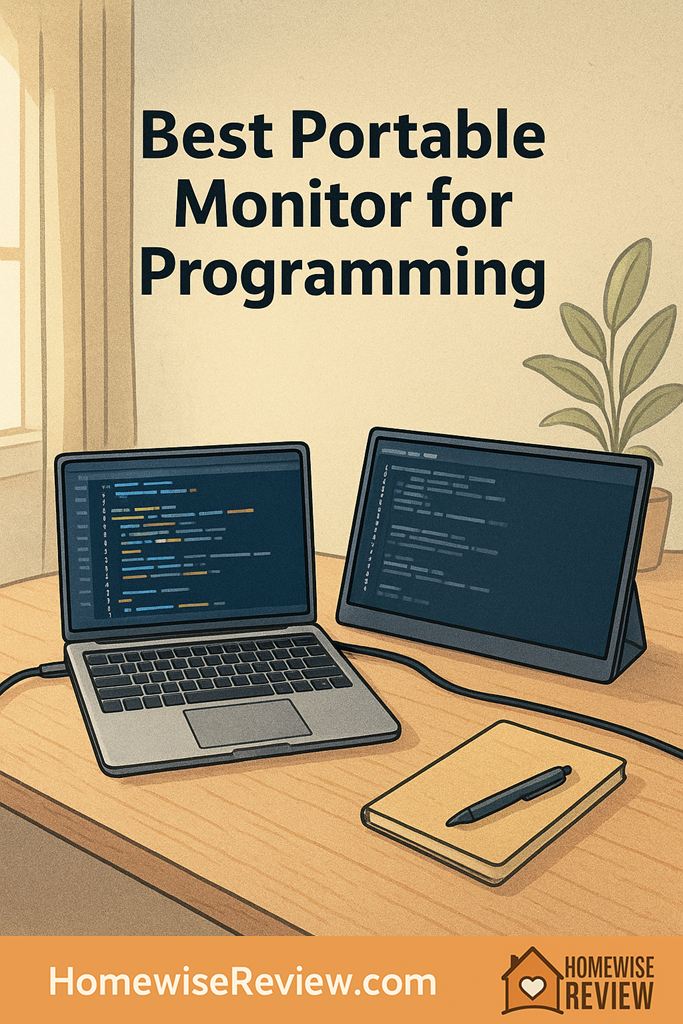
I started tossing a portable monitor in my laptop bag after one too many coffee shop sessions spent alt-tabbing between code, docs, and Slack like it was a full-time job. The difference is not the extra inches, it is the one-cable setup that shows up, wakes up, and stays put without me babysitting brightness or fighting a wobbly stand. When the text is crisp and the screen behaves like a real second display, I can actually hold a clean split view and keep my focus on the work.
In-depth Reviews
Lenovo ThinkVision M14 (Gen 2) Portable Monitor
- Excellent text clarity for editor and terminal work
- Stand feels steady and predictable on a desk
- Simple, reliable single-cable workflow
- Limited ports compared with travel-focused HDMI models
- On the premium side for its size
LG gram +view 16MQ70 Portable Monitor
- More usable workspace without feeling like a TV on your desk
- Comfortable for long reading and code review sessions
- Great pairing with smaller laptop screens
- Takes up more room in a bag and on small tables
- Needs thoughtful cable management to stay tidy
ASUS ZenScreen MB16AC Portable Monitor
- Easy to get running, even with mixed devices
- Matte finish reduces distracting glare
- Good everyday experience for a reasonable cost
- Folio-style stands are less stable than rigid kickstands
- Not the brightest option for sunlit rooms
ViewSonic VG1655 Portable Monitor
- Stand stability is excellent for daily use
- Flexible connectivity for different setups
- Generally predictable performance with laptops and docks
- Bulkier than ultra-slim models
- Stand adds weight compared with folio designs
Dell C1422H Portable Monitor
- Travel-friendly build that holds up to daily packing
- Fast setup with minimal fuss
- Good all-around text readability
- Not ideal if you need multiple input options
- Premium pricing for a smaller screen
Buying Guide
Pro Tip: Make a Portable Monitor Feel Like a Real Dev Workstation
Start with the “boring” settings: match brightness and color temperature to your laptop, then set a comfortable scaling level once and leave it there. A portable monitor that is slightly too bright or slightly too cool can feel fatiguing when you are reading code and logs for hours. I also recommend turning off any aggressive “dynamic contrast” modes, since they can make editor themes look inconsistent.
Get cable clutter under control: the fastest way to make a tidy setup look messy is a long cable looped across your keyboard. Use a shorter cable whenever possible, and route it behind the laptop hinge so it is not pulling the display sideways. If your monitor supports pass-through charging, a single wall charger can often power the laptop and monitor together, which keeps your desk calmer and reduces the number of bricks you are juggling.
Use it like a purpose-built second screen: put your terminal, logs, and documentation on the portable monitor and keep your editor on the laptop. This reduces focus switching and makes it easier to keep your main code window stable. If you do code reviews, try rotating the portable monitor to portrait mode when it supports it. Reading diffs and long files can feel surprisingly natural that way.
Make it stable without buying more stuff: if your monitor relies on a folio cover stand, set it on a thin desk mat or even a notebook to keep it from sliding. On slick tables, a tiny bit of friction makes a big difference. And if you ever find yourself constantly nudging the screen back into place, that is a sign to choose a model with a rigid kickstand next time.
💡 Editor’s Final Thoughts
Final Verdict: The Lenovo ThinkVision M14 (Gen 2) is my top pick for programming because it stays sharp for text, travels easily, and feels purpose-built for long work sessions without fussy setup. If you want more room for split panes, the LG gram +view is the easiest upgrade that still feels portable.
See also
If you plan to toss your monitor in your daily carry, see our guide to work bag essentials and pair it with quick clean-up systems for tidy desks so your setup stays streamlined.
- modern decor ideas for home workspaces that keep your tech area calm, not cluttered
- vanity tabletop setups for small corners that translate well to tiny desk zones
- bedroom mini fridges for snacks and quiet cooling for long work sessions without noisy interruptions
Frequently Asked Questions ▾
What size portable monitor is best for programming?
For most developers, a portable monitor in the mid-size range is the sweet spot: big enough to park documentation, logs, a browser, or a second editor pane, but still easy to pack. If you regularly split windows side by side, a taller aspect ratio often feels more natural for code because you can see more lines without constantly scrolling. If you travel frequently, prioritize a lighter screen with a dependable cover or built-in stand so it does not flex in your bag.
Is higher resolution always better for coding text?
Not always. Higher resolution can make text look sharper, but it also increases the chances you will need scaling tweaks to keep UI elements comfortably sized. The best experience usually comes from a good panel (even backlight, clean subpixel rendering, minimal glare) and stable brightness, not chasing the highest resolution on paper. If you already use scaling on your laptop, choose a portable monitor that matches your usual workflow so your cursor and window sizing feel consistent.
Do I need HDMI, or is a single-cable setup enough?
If your laptop supports video over a modern USB-C port, a single-cable setup is usually the simplest for programming: fewer cords, faster setup in coffee shops, and less desk mess. HDMI is still valuable as a backup for older laptops, desktops, and some docking stations. If you expect to plug into mixed devices, pick a monitor that supports both and keep a short HDMI cable in your bag. It is a small thing that saves a lot of frustration when you are not at your own desk.
Will a portable monitor drain my laptop battery?
It can. Many portable monitors draw power from the laptop, and brighter settings can noticeably reduce battery life during longer coding sessions. If you work unplugged, look for a monitor that supports pass-through charging or that can be powered from a wall charger or power bank. In practice, the easiest fix is to carry a compact charger and run both from a single outlet when you can, then lower brightness a bit when you are truly mobile.
How do I make a portable monitor feel “stable” for all-day coding?
Stability comes down to three things: a stand that does not wobble when you type, a screen hinge or kickstand that holds its angle, and a cable setup that does not tug the display out of position. If your monitor uses a folio cover as a stand, set it on a non-slip desk mat or a thin felt pad so it does not skate around. Also consider a short, right-angle cable if your ports are tight. Reducing cable strain is one of the easiest ways to make a portable setup feel like a real workstation.
As an Amazon Associate, we earn from qualifying purchases made through links on our site.