

Raises your screen to eye level and remains rock-steady during video calls—best paired with an external keyboard and mouse for comfortable typing.
We may earn a small referral fee
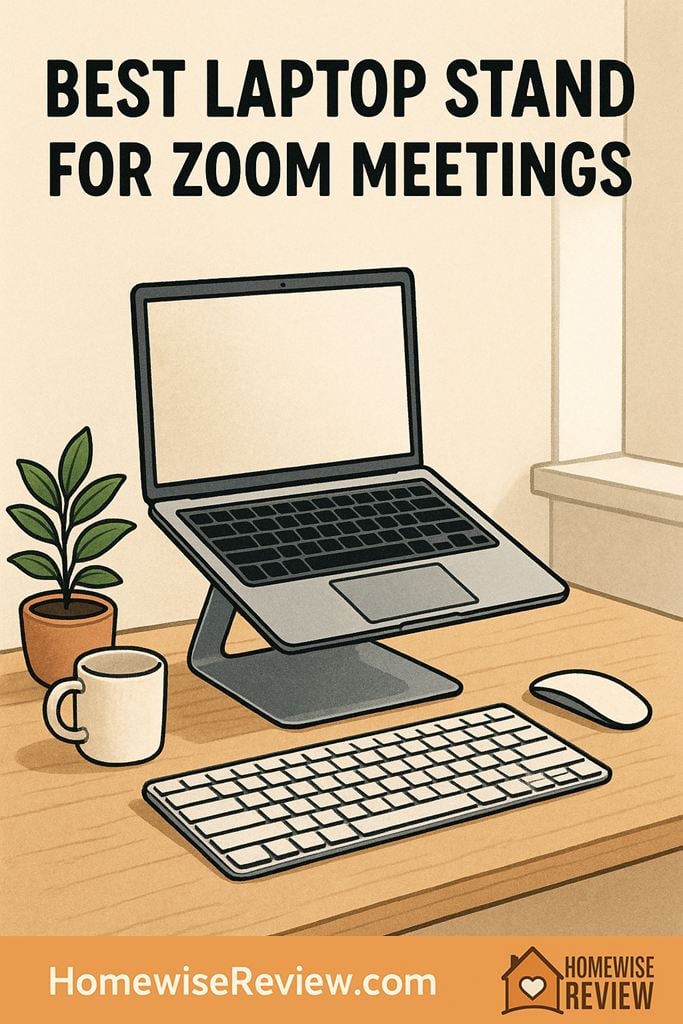
If your Zoom camera angle is unflattering or your neck hurts by lunch, the right laptop stand fixes both fast. These picks raise your screen to a better height without wobble, clutter, or complicated setup.
In-depth Reviews
BoYata Adjustable Laptop Stand (Aluminum)
- Very steady for video calls and daily work
- Easy to fine-tune camera angle without slipping
- Good airflow under the laptop
- Takes up noticeable desk space
- Not ideal for frequent travel
Roost Laptop Stand (V3)
- Packs small and sets up fast
- Gets the camera higher than many compact stands
- Easy to move room to room
- Not as rigid as heavier metal desktop stands
- Works best with an external keyboard and mouse
Lamicall Adjustable Laptop Stand
- Solid everyday performance for the price
- Adjusts easily for better camera framing
- Protective padding helps prevent scratches and sliding
- Can wobble more at taller settings on shaky desks
- Hinge tension may loosen over time
Twelve South Curve for MacBook
- Stable, no-fuss platform for a cleaner setup
- Great for consistent, flattering camera framing
- Leaves space underneath for a keyboard when not in use
- Not adjustable
- Less comfortable if you rely on the laptop keyboard
MOFT Z 5-in-1 Sit-Stand Desk
- Flexible positions for sitting or standing calls
- Folds away neatly when you want the desk clear
- Feels more stable than improvised risers
- Not as rigid as a dedicated metal stand
- Can feel bouncy for heavy typing in taller positions
Buying Guide
What We Wish We Knew Before Buying: The Zoom Comfort Formula
Think in pairs: The higher you lift your laptop, the more you should plan on using an external keyboard and mouse. A stand fixes your camera angle, but it can make typing uncomfortable if your hands are hovering on the laptop keyboard. For meeting-heavy days, a simple keyboard and mouse combo is often the difference between feeling fine and feeling stiff by mid-afternoon.
Stability beats maximum height: If you are torn between two stands, pick the one that stays steady at the height you will actually use. A slightly lower, rock-solid setup looks more professional on camera than a tall stand that jiggles every time you gesture or type. If your desk is lightweight, lowering the stand one notch and raising your chair can help a lot.
Make your background easier: A stand can give you a cleaner line of sight so you are not angling the camera up from a cluttered desktop. Before a call, do a quick sweep: close extra tabs, move cords to one side, and keep one simple item behind you, like a plant or a neutral lamp, so your space reads calm even on busy days.
💡 Editor’s Final Thoughts
Final Verdict: If you want one stand that works for most desks and most laptops, the BoYata Adjustable Laptop Stand is the top pick because it is steady, easy to dial in, and holds its position during real work. For travel, the Roost Laptop Stand (V3) is the one to beat when you need a packable setup that still gets your camera up where it belongs.
Winners at a glance
- Best Overall: BoYata Adjustable Laptop Stand
- Best Travel Pick: Roost Laptop Stand (V3)
- Best Budget Adjustable: Lamicall Adjustable Laptop Stand
- Best Minimalist Desk Look: Twelve South Curve for MacBook
- Best for Sit-Stand Zoom Days: MOFT Z 5-in-1 Sit-Stand Desk
What makes a laptop stand great for Zoom
A Zoom worthy laptop stand does two things well: it gets your webcam closer to eye level and it stays steady while you work. That simple lift reduces the up-the-nose angle, helps you maintain eye contact, and keeps you from hunching toward the screen.
The catch is comfort. If you plan to type on your laptop keyboard for long stretches, you will usually want only a modest lift. For a higher camera position, the most comfortable setup is a stand plus an external keyboard and mouse.
Key features to compare (without overthinking it)
- Stability: A stand should not bounce when you type or when you adjust the screen angle mid-call.
- Height and angle control: Adjustable stands make it easier to match your eye line, especially if you switch chairs, desks, or locations.
- Desk footprint: Some sturdy stands take up more space. If your desk is small, pay attention to base size and where your keyboard will live.
- Ventilation: Open designs generally help laptops run cooler during long video calls.
- Portability: If you travel or move rooms, folding stands matter. A desktop stand can be better if it stays put.
Fast desk setup checklist for a better on-camera look
- Set camera height first: Raise the laptop until your eyes land in the top third of the screen.
- Then fix your distance: Sit far enough back that your shoulders are visible and you are not crowding the lens.
- Light your face: Face a window or place a lamp slightly behind your webcam, not behind your head.
- Keep it steady: If your stand wobbles, reduce the height a notch and adjust your chair instead.
- Audio beats video: Even a basic headset can make you sound clearer than your laptop mic.
See also
If you are building a calm, functional work-from-home setup, see our guide to home printers for reliable printing without constant troubleshooting.
- Best home espresso machines for cafe-quality coffee
- Home gym equipment that actually fits in small spaces
- Top home vacuums for pet hair and hard floors
- Home mold test kits for a quick peace-of-mind screening
Frequently Asked Questions ▾
Do I really need a laptop stand for Zoom meetings?
If you are on video calls more than occasionally, a laptop stand is one of the quickest upgrades you can make. Raising the screen improves your camera angle and helps your posture, which can reduce neck and shoulder strain. It also frees up space for a keyboard and mouse, which makes longer work sessions feel more natural than typing with your wrists bent upward.
How high should my laptop be for the best Zoom camera angle?
Aim for your webcam to be roughly at eye level or slightly above. On screen, your eyes should land in the top third of the frame with a little headroom. If you lift the laptop very high, plan to use an external keyboard and mouse so you are not typing with raised shoulders. Small adjustments matter, so an adjustable stand can be worth it if you change desks or chairs.
Is an adjustable stand always better than a fixed stand?
Not always. Adjustable stands are great if you share a workspace, switch between sitting and standing, or want to fine-tune your camera height. Fixed stands can feel simpler and more stable because there are fewer moving parts, and they often look cleaner on a desk. If your desk and chair height are consistent, a fixed stand can be a set-it-and-forget-it solution.
Will a laptop stand help with overheating during long video calls?
It can. Many stands lift the laptop and leave the bottom more exposed to airflow, which helps heat dissipate compared to sitting flat on a desk, blanket, or couch cushion. A stand is not the same as an active cooling pad, but the extra ventilation often makes a noticeable difference on longer calls. Keeping the area around the laptop clear and dust-free also helps.
What else should I buy with a laptop stand for Zoom?
If you raise the screen much at all, an external keyboard and mouse are the comfort upgrades you will feel immediately. For meeting-heavy days, consider a simple headset or dedicated mic for clearer audio, since bad sound is more distracting than average video. A small desk lamp positioned behind your webcam can also make you look more awake and polished without changing anything in your background.
As an Amazon Associate, we earn from qualifying purchases made through links on our site.