

Lifts your screen to true eye level and folds small for travel, easing neck and shoulder strain during long laptop sessions.
We may earn a small referral fee
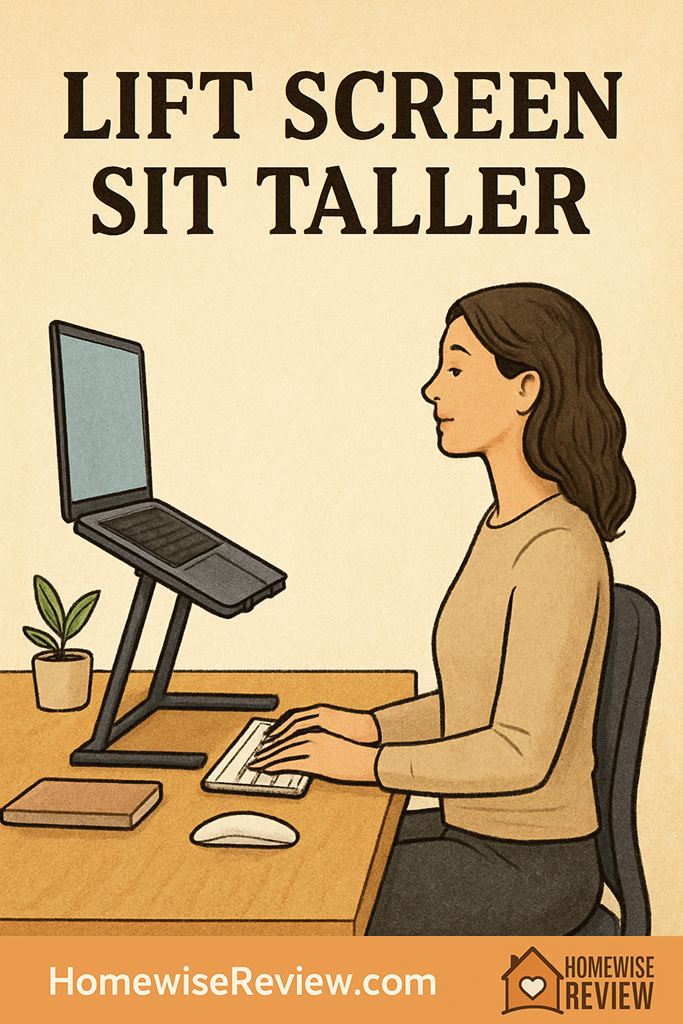
If your neck folds forward every time you open your laptop, the stand under it matters more than you think. The right pick gets your screen higher, your shoulders looser, and your workday far more comfortable.
In-depth Reviews
Roost V3 Laptop Stand
- High enough for a true eye level setup
- Folds tiny for commuting
- Secure grip once adjusted
- Expensive for its size
- Less stable on shaky tables
Twelve South Curve Flex
- Wide, planted base
- Easy height and angle tuning
- Excellent full time desk option
- Heavier in a bag
- Costs more than basic stands
Rain Design mStand
- Rock solid on a desk
- Open design helps airflow
- Very simple daily use
- No height adjustment
- Not practical for travel
Nexstand K2 Laptop Stand
- Affordable ergonomic height
- Very light to carry
- Good range for different desk heights
- More wobble than heavier stands
- Setup feels less premium
MOFT Z Sit-Stand Desk
- Lets you vary posture through the day
- Broad platform feels supportive
- Useful beyond a standard desk
- Bulkier than most laptop stands
- Folding design takes practice
Buying Guide
The Setup Mistake That Makes Good Stands Feel Useless
The most common mistake is buying for style first and height second. Plenty of attractive metal stands lift a laptop a little, but not enough to fix forward head posture. If you tend to hunch, prioritize a stand with real vertical range, not just a gentle tilt that makes the desk look tidier.
The next thing to check is desk depth. Once the screen is lifted, you still need room to place an external keyboard far enough in front of the stand that your wrists are not jammed against the desk edge. A shallow desk can make an otherwise excellent stand feel awkward, even when the stand itself is doing exactly what it should.
Finally, do not judge by height alone. Stability changes how your body feels over a full workday. A stand that shakes every time you tap the laptop keeps your shoulders subtly braced, which can leave your neck and upper traps feeling tense by afternoon. If you are sensitive to that kind of strain, a heavier home stand often feels better than an ultra light travel model.
💡 Editor’s Final Thoughts
The Roost V3 Laptop Stand is the best laptop stand for posture for most people because it gets the screen genuinely high, stays secure, and travels easily. If your stand will live on one desk full time, the Twelve South Curve Flex is the smoother, more polished long term upgrade.
See also
For posture that holds up beyond your desk, strength training for better posture pairs naturally with a better laptop setup, and fitness trackers to reduce sedentary time can help you break the sit too long cycle before your shoulders start rounding.
- Supportive bras that improve posture
- Home organization ideas for shared workspaces
- Skincare guide for overnight workers
Frequently Asked Questions ▾
Do laptop stands really help posture?
Yes, if they raise the screen enough that you stop dropping your chin and rounding your shoulders. A stand does not fix posture on its own, though. You still need the display at the right height, your chair pulled in close enough, and ideally an external keyboard and mouse so your arms can stay relaxed instead of reaching upward.
How high should a laptop stand be for good posture?
A solid rule is to place the top third of the screen at or just below eye level when you are sitting tall. You should be able to look slightly downward with a neutral neck, not tuck your chin or tip your head back. If you wear progressive lenses, many people find a slightly lower screen more comfortable than a perfectly level one.
Do I need a separate keyboard and mouse with a laptop stand?
Almost always, yes. Once the laptop is high enough to help your neck, the built in keyboard sits too high for comfortable shoulders, elbows, and wrists. A slim external keyboard and mouse let your forearms stay level, your elbows stay closer to your sides, and your shoulders stop creeping upward as the day goes on.
Is an adjustable stand better than a fixed stand?
Adjustable is usually the safer choice if you switch between desks, chairs, or rooms, or if more than one person uses the setup. Fixed stands are excellent when your measurements are already dialed in and you want maximum stability with zero tinkering. The catch is simple: a fixed stand feels wonderful when it fits and frustrating when it does not.
Can a laptop stand help if I work at the kitchen table or on the couch?
It can help at a kitchen table because it quickly gets the screen out of your lap line of sight and makes a temporary setup feel more intentional. On a couch, posture is harder to maintain because deep cushions and soft backs encourage slouching. A stand can improve the screen height, but a firmer chair or real table is usually the better long term answer.
As an Amazon Associate, we earn from qualifying purchases made through links on our site.